


Android Ringtone Songs
4.72.80K Reviews
App Specs
- Version
- 2.1.3
- Updated On
- License
- Free
- Downloads
- 10,000,000+
- Developer
- Ringtone Phone App
- Categories
- Personalization
- Platform
- Android, iOS
Screenshots
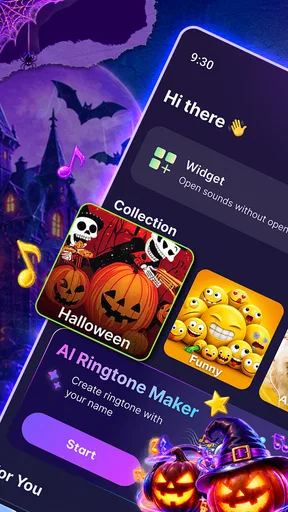

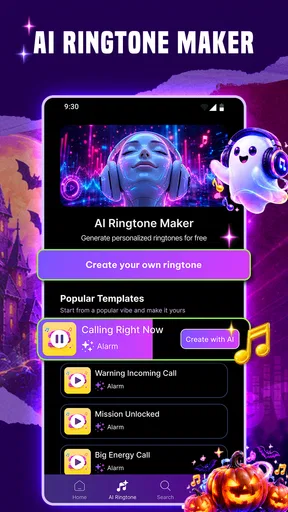
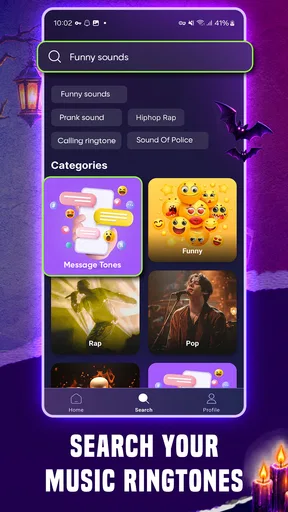
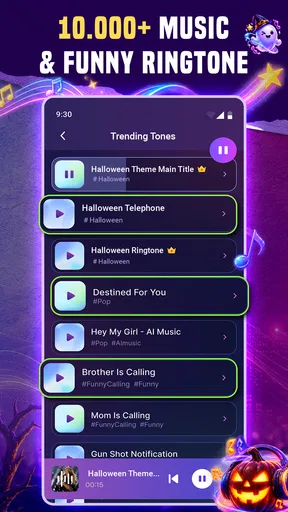
 Analysis by AppCompare
Ever found yourself stuck in a ringtone rut with the same old tunes buzzing away? Well, if you're anything like me, you know the struggle. Enter Android Ringtone Songs, the app that's here to jazz up your notification sounds and give your phone that much-needed personality boost.
When one phone serves a whole household
A shared phone makes ringtone choices more practical than personal. If several people rely on one device, a distinctive incoming-call sound can help everyone notice it, while a softer notification tone may be less disruptive around the house. I’d treat this app as a way to choose sounds deliberately, rather than simply replacing every default tone with a favorite song.
For example, imagine the household phone is charging in the kitchen while someone is working in another room. A recognizable call sound can make it easier to tell that the device is ringing without checking the screen. The trade-off is that a tune that feels cheerful to one person may become irritating after repeated calls. I’d preview a few options together and settle on something easy to recognize but not tiring.
Set boundaries before changing sounds
Ringtones, notifications, and alarms serve different purposes, so I wouldn’t use one loud, attention-grabbing clip for all three. A familiar melody might work well for calls, but repeated message alerts can quickly become intrusive. An alarm has another job entirely: it needs to be noticeable at the right time, not merely pleasant to hear.
That distinction is especially useful on a device used by more than one person. Before changing a sound, I’d check which part of the phone it affects and whether the choice suits everyone who depends on that device. If you’re choosing for another person, agree on a sound first rather than assuming they’ll want your pick. This small bit of coordination can prevent a harmless customization from turning into an everyday annoyance.
Make household coordination easier
Distinct sounds can help people tell calls from routine alerts without constantly looking at the screen. If the phone is shared, though, assigning a unique sound to a contact is only useful when the people using the device agree on the arrangement and recognize what it means. I’d keep the system simple: too many different tones can make the phone harder, not easier, to understand.
There’s also a useful practical check after choosing a tone: listen to it in the places where the phone is normally kept. A sound that seems clear while browsing may be too quiet across a busy room or too disruptive in a quiet one. I’d test it at a sensible volume and make sure important calls remain noticeable without making every alert demand attention.
Worth Reading Before You Choose

Baby Panda World Brings Quick Play to Modern Phones, but Its Game Library Feels Busy

ESPN’s Live Game View Makes Following Close Games Easier

QuizzLand Review: A Good Fit for Short Trivia Breaks, Not Every Player

Basketball Stars: Multiplayer Is Fast, but Can It Recover When Matches Go Wrong?

WEBTOON Turns Phone Updates Into a Better Reading Routine

Link to Windows Runs on Shared Habits, Not Social Feeds
Exploring the Features
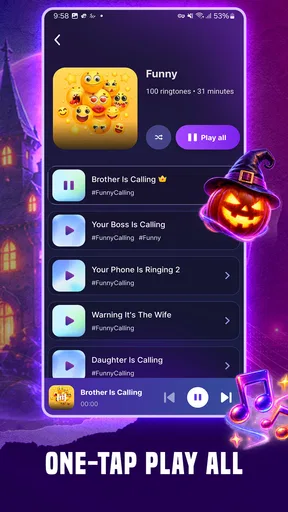
This app is a treasure trove of musical delights. From classic hits to the latest chart-toppers, Android Ringtone Songs has got it all. You can easily browse through different categories like pop, rock, classical, and even some quirky sound effects if you're feeling adventurous. The user interface is super intuitive, making it a breeze to navigate and find exactly what you're in the mood for.
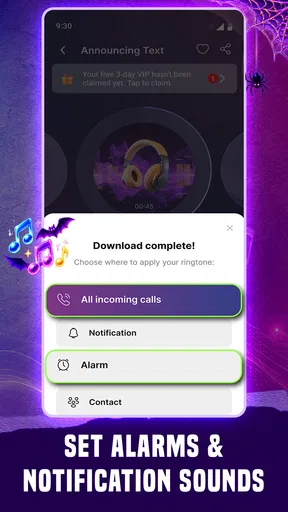
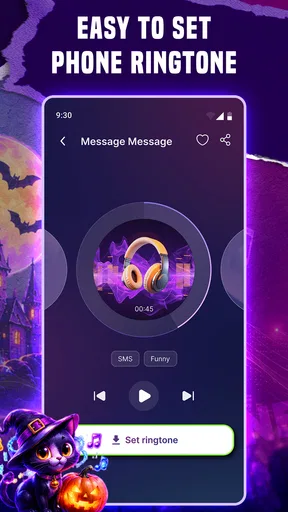
One of the standout features is the customization option. Not only can you set ringtones for different contacts, but you can also assign unique sounds for notifications and alarms. Ever wanted to wake up to your favorite tune? Now you can! And let me tell you, it sure beats the default alarm sound that feels like a personal attack each morning.
Browsing with a purpose
The range is appealing if you enjoy trying different sounds, but I’d approach a large library with a short list of needs. Start by deciding whether you want a call ringtone, an alarm, or a notification; then browse for a sound suited to that use. This avoids spending time collecting possibilities that all end up serving the same purpose. The app’s categories give you a place to begin, while its trending section can be useful when you want to hear what is currently getting attention.
One non-obvious trade-off with using a song as a ringtone is repetition. A favorite track can feel personal at first, but hearing the same opening every time the phone rings may change how you feel about it. I’d choose a short, recognizable passage if the app offers one, or pick a sound I like without making it an all-day soundtrack. For alarms, I’d also consider whether I can imagine hearing that tune repeatedly without growing tired of it.
Getting Down to the Details
Downloading and installing the app is as straightforward as it gets. Once you've got it on your device, you can explore a wide range of sounds, all neatly organized for your browsing pleasure. There's even a trending section so you can stay up-to-date with what's popular in the ringtone world. And if you're worried about data usage, there's an option to download your chosen tones, so you can enjoy them offline.
That offline option is useful when you’ve already picked a sound and don’t want to depend on a connection to listen to it again. My practical tip is to make the choice while you have time, then check that the tone is available on the device before relying on it somewhere with poor connectivity. Downloading selected sounds rather than browsing endlessly can also help keep the process focused.
Now, let's talk about the sound quality. The app delivers crystal-clear audio that doesn't distort even at high volumes. That's a big plus because the last thing you want is a ringtone that sounds like it's coming through a tin can. Trust me, your ears will thank you.
What to expect from a ringtone app
Compared with the usual alternatives, this is more convenient than hunting through audio files yourself if you want a ready-made selection organized around phone sounds. It also offers more variety than sticking with the tones already on a device. On the other hand, someone who already has a carefully managed music library may prefer using files they know and own, rather than browsing for new ringtone choices. If your priority is simply a quiet, dependable alert, the phone’s built-in sounds may be enough.
The app is free to install, although it includes in-app purchases, so I’d explore the available choices before deciding whether to spend anything. It comes from Ringtone Phone App and is a personalization app for Android. Its current version is 1.9.6, and Android 7.0 is the minimum operating-system requirement. Those details make it worth checking your device compatibility before you plan a household setup.
Age, trust, and shared-device choices
The app is rated for teens. In a household, that age context is a reason for an adult to be involved when a younger person is choosing sounds or exploring any purchase options. I wouldn’t assume that a content rating means every sound or purchase decision suits every family. Agree on a spending rule first, and let the person who uses the phone have a say in the ringtone itself.
There’s no need to turn a shared phone into a complicated system. A small set of agreed sounds is easier to remember and less likely to cause confusion than a different tone for every event. If people in the household have separate devices, individual preferences are simpler to manage there; this app makes less sense as a way to coordinate everyone’s phones, since a ringtone choice on one device does not create a shared household plan.
Who will get the most from it?
I’d recommend it to Android users who are bored with their current tones, enjoy browsing musical options, or want to distinguish a few important alerts. It is also a reasonable fit for someone who wants to audition sounds before settling on one and appreciates having chosen tones available offline. The app has a 4.7 average from around 173,000 ratings, and it has been installed over 5 million times, which suggests plenty of people have found this kind of customization worthwhile.
I’d skip it if you want a completely hands-off phone, already like the built-in tones, or don’t want another place to browse sounds. It may also be a poor fit for a household where people disagree strongly about what the shared device should sound like. In that situation, using a neutral default or a simple sound everyone accepts is more practical than turning ringtone selection into a recurring negotiation.
Final Thoughts
All in all, Android Ringtone Songs is a solid choice for anyone looking to spice up their phone's soundscape. It's user-friendly, packed with a variety of options, and offers excellent sound quality. Whether you're a music lover or just someone who wants to add a touch of personality to their device, this app is worth checking out. So go ahead, give your phone the makeover it deserves and let those tunes ring out!
For shared use, I’d start with one call tone and one alert sound, then live with them for a few days before making more changes. That gives everyone a chance to notice whether the choices are distinctive, comfortable, and useful in the rooms where the phone is actually used. If they work, keep them; if they become irritating, switch back without overthinking it.
If you're ready to ditch those default dings and dive into a world of musical possibilities, you can download the app from the link below and start exploring. Happy listening!
Pros
- Wide variety of ringtone options available.
- User-friendly interface for easy navigation.
- High-quality sound for all ringtones.
- Frequent updates with new content.
- Option to customize and edit ringtones.
Cons
- Contains ads that interrupt user experience.
- Limited features in the free version.
- Some ringtones require in-app purchases.
- Occasional bugs in the search feature.
- Needs internet connection for downloads.
FAQs for Android Ringtone Songs
What features does the Android Ringtone Songs app offer?
The Android Ringtone Songs app provides a vast library of ringtones, including popular songs, classic tunes, and unique sound effects. Users can customize their notifications, alarms, and call tones. It also features a user-friendly interface that makes it easy to search, preview, and download ringtones directly to your device.
Is the Android Ringtone Songs app free to use?
Yes, the app is free to download and use, offering a wide range of ringtones at no cost. However, it may include in-app purchases for premium ringtones or ad-free experiences. These options provide enhanced functionality but are not required for basic app use.
How does the app handle user privacy and data security?
The Android Ringtone Songs app prioritizes user privacy by adhering to strict data protection guidelines. It requires minimal permissions, such as access to storage for saving ringtones. The app does not collect personal data unless specified, such as for user preferences, and maintains transparency about its data usage policies.
Can I create custom ringtones with the Android Ringtone Songs app?
Yes, the app offers a feature that allows users to create custom ringtones. You can use audio files from your device or record sounds directly within the app. This feature includes editing tools to trim or loop audio, giving you a personalized ringtone experience tailored to your preferences.
Is the Android Ringtone Songs app compatible with all Android devices?
The app is designed to be compatible with most Android devices running on Android 4.4 and above. It supports a wide range of phone models and brands. However, for the best experience, ensure your device's software is up to date, and check the app's compatibility details in the Google Play Store.


